Know what needs an answer
Keep pending requests separate from completed decisions. Give each request a clear title, description, and selection or change type.
Client approval software for builders
Keep selections, change requests, and client responses in the project record. See what needs an answer, what was approved, and the budget impact recorded with the request.
7-day trial · Homeowner collaboration included
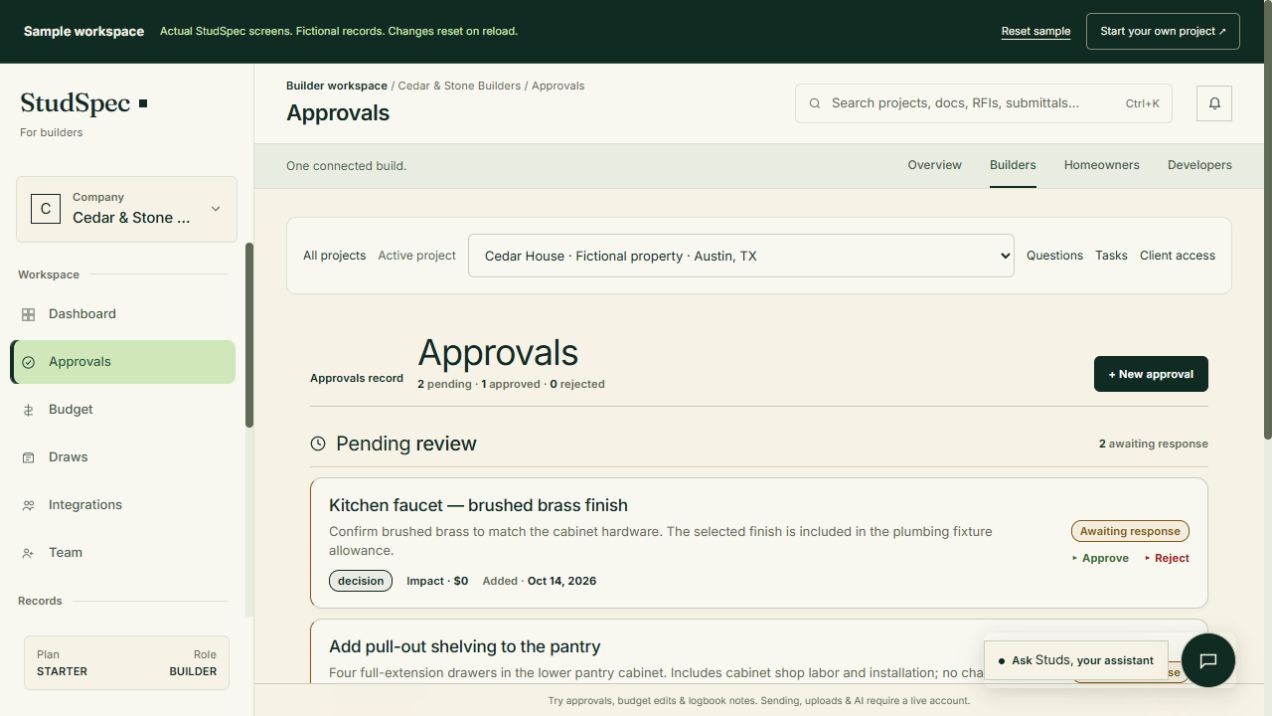
The real builder workspace, with a fictional project you can explore.
Client approval software for builders
Selections and changes often start in a meeting, email, or site conversation. A shared record helps the builder and homeowner revisit the question, understand the supporting information, and see the decision without reconstructing a message thread.
Keep pending requests separate from completed decisions. Give each request a clear title, description, and selection or change type.
Record the proposed budget impact with the request so it can be reviewed alongside the decision. Keep supporting plans and photos in the project.
Return to the recorded status, response notes, and date after the conversation ends. Give the team and client a shared reference for the outcome.
A practical starting point
Create a selection, decision, or change request with a clear description and any known budget impact.
Review the request with the homeowner and the relevant plans, photos, or specifications.
Record the response and keep the completed decision with the project as work moves forward.
Try the public sample
Compare two decisions in Cedar House. See the proposed finishes, the recorded budget impact, and the homeowner’s response in the same place.
Explore the approval recordsNo account needed · Fictional project · Changes reset on reloadRecord selections, requested changes, answers to project questions, and approvals that affect the work. Include enough context to distinguish the decision from the discussion that led to it.
Follow the requirements of your project agreements. A shared approval record helps organize communication; it does not by itself replace the contract or any separate sign-off your project requires.
Yes. StudSpec connects the builder workspace with an invited homeowner’s workspace for shared project information and collaboration.
Yes. The public Cedar House sample includes an approved kitchen finish and a flooring selection awaiting a response. You can inspect both without an account; the sample does not submit real approvals.
Build with clarity. Hand over confidence.
Explore the builder workspace, or talk through your workflow with Pat.