“Where’s the manual?”
Keep the supplied manuals, warranties, and final plans with the project. Give the homeowner a place to look when the question comes up.
Homeowner handover software
Give homeowners one place to find the plans, construction photos, selections, and product documents you share. Build the record during construction, then make it part of the final walkthrough.
7-day trial · Homeowner collaboration included
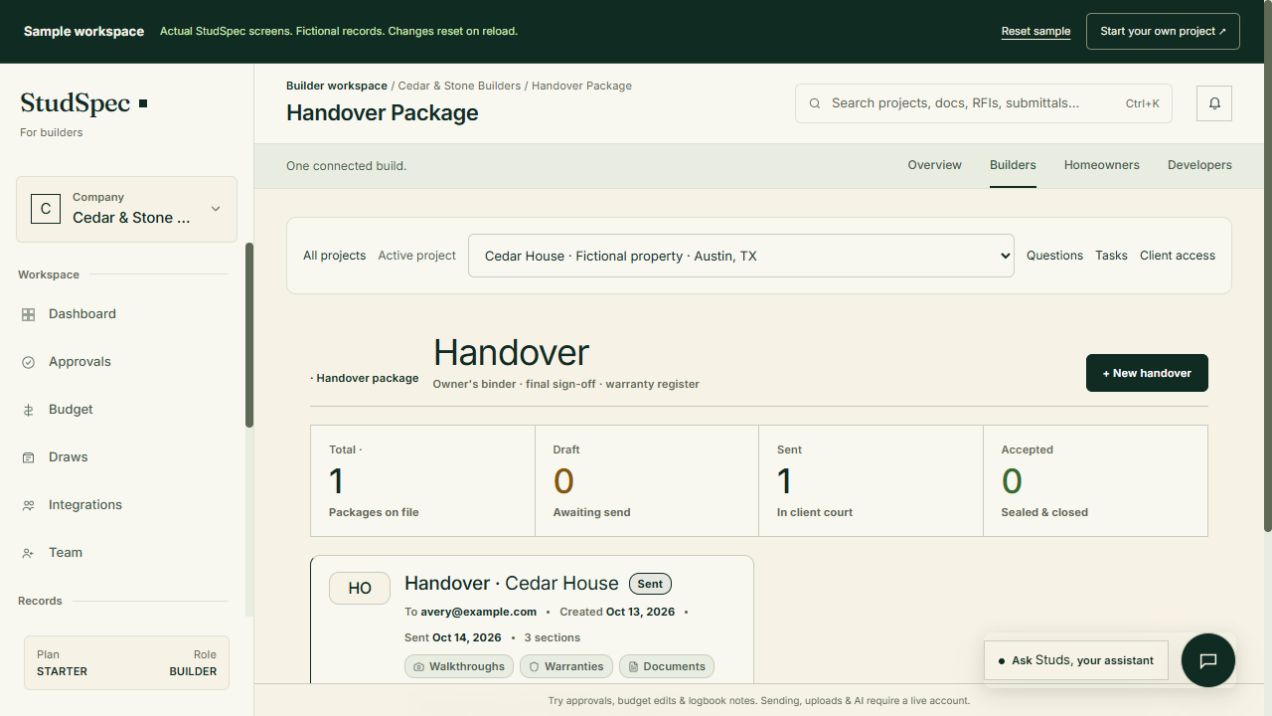
The real builder workspace, with a fictional project you can explore.
Homeowner handover software
At closeout, files can be spread across the office, the field team, and the homeowner’s inbox. Bringing the record together throughout construction makes it easier to explain a decision, locate a drawing, or revisit a detail when a question comes up later.
Keep the supplied manuals, warranties, and final plans with the project. Give the homeowner a place to look when the question comes up.
Preserve the construction photos that a finished room cannot show. Keep source records available for future reference.
Keep selections and recorded approvals with the rest of the home’s story, so the answer does not depend on finding an old message.
A practical starting point
Collect plans, construction photos, selections, and available product documents throughout the build.
Check the contents against the finished home and review the shared record at the final walkthrough.
Invite the homeowner into the connected workspace and show them where to find the records you have shared.
Try the public sample
Open Cedar House in the actual builder workspace. Inspect the prepared handover and its binder preview, including documents, warranties, decisions, and a construction photo.
Walk through the handoverNo account needed · Fictional project · Changes reset on reloadStart with the final plans, relevant specifications, progress photos, client decisions, and available warranties and equipment manuals. Review the contents with the homeowner so they understand what is included and where to look.
StudSpec has connected builder and homeowner workspaces. The builder manages the project, while invited homeowners can access the project information shared with them.
Yes. The public Cedar House sample uses the actual builder workspace. Open its fictional handover package to inspect the binder preview, documents, construction photo, and approved selection without signing in.
Use photos and maps as reference material. They do not replace checking current conditions, locating utilities, or getting advice from a qualified professional before work.
Build with clarity. Hand over confidence.
Explore the builder workspace, or talk through your workflow with Pat.